เนื้อหาในส่วนนี้ จะเป็นส่วนต่อเนื่องจาก บทความ
https://www.ninenik.com/วิธีใช้_css_จัดรูปแบบ_เนื้อหา_contents_ที่ต้องการแสดง_บน_google_map-346.html
เมื่อรู้จักวิธีการสร้างปุ่มควบคุม แผนที่ใน google map ได้แล้วในส่วนนี้จะเป็น การทำให้ปุ่มควบคุมแผนที่ ที่เราสร้างขึ้น ทำงาน
เราสามารถสร้างปุ่มควบคุมการ ทำงานเป็นแต่ละรูปได้ เพื่อให้สะดวกในการใช้งานได้ แต่ในที่นี้ ในกรณีเครื่องมือ หรือปุ่มสำหรับการ pan หรือการเลื่อนซ้ายขวา บนล่าง ของแผนที่ จะใช้เป็นรูปเดียว แล้วใช้วิธีการสร้าง image map area เพื่อสร้าง ลิ้งค์หรือ anchor ให้กับแต่ละส่วนของรูปได้ ดัวอย่าง รูป
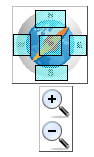
นอกจากนี้เราสามารถใช้รูปทั้งหมดเป็นรูปเดียวได้ ทั้ง ปุ่ม zoom in ,zoom out และเครื่องมือเลื่อนแผนที่ และใช้วิธีการกำหนด image map สร้างลิ้งค์หรือ anchor ให้กับแต่ละส่วนของรูปได้
ส่วนของ การกำหนด id ให้แต่ละส่วนของรูปเพื่อไว้ใช้ในการสร้างคำสั่งควบคุม
<div id="contain_map">
<div id="map_canvas"></div>
<div id="my_navigator">
  <img src="images/compass.png" width="74" height="74" border="0" usemap="#Map" />
  <map name="Map" id="Map">
    <area id="north_direction" shape="rect" coords="22,3,53,21" href="#" />
    <area id="south_direction"  shape="rect" coords="22,58,55,74" href="#" />
    <area id="east_direction"  shape="rect" coords="56,28,74,49" href="#" />
    <area id="west_direction"  shape="rect" coords="0,27,18,49" href="#" />
    <area id="go_home" shape="rect" coords="26,28,49,49" href="#" />
  </map>
</div>
 <div id="zoom_inout">
  <img src="images/zoom_in.png" id="i_zoom_in" width="32" height="32" />
  <img src="images/zoom_out.png" id="i_zoom_out" width="32" height="32" />
 </div>
</div>
css ส่วนของปุ่ม zoom in ,zoom out
#zoom_inout img{
	cursor:pointer;
}
javascript ส่วนของฟังก์ชันควบคุมปุ่ม
	$("#i_zoom_in").click(function(){ // ส่วนของการ zoom in
		var current_zoom=map.getZoom(); // ดึงค่าขนาดการ zoom ปัจจุบัน
		map.setZoom(current_zoom+1);// ตั้งค่่าขนาดการ zoom เพิ่มขึ้น +1
	});

	$("#i_zoom_out").click(function(){// ส่วนของการ zoom out
		var current_zoom=map.getZoom(); // ดึงค่าขนาดการ zoom ปัจจุบัน
		map.setZoom(current_zoom-1); // ตั้งค่่าขนาดการ zoom ลดลง -1
	});

	$("area#north_direction").click(function(event){
		event.preventDefault();// ไม่ต้องเปลี่ยน url ตามลิ้งค์ที่กด
		map.panBy(0,-100);// เลื่อนแผนที่ขึ้นด้านบน 100 pixels
	});
	$("area#south_direction").click(function(event){
		event.preventDefault();// ไม่ต้องเปลี่ยน url ตามลิ้งค์ที่กด
		map.panBy(0,100);// เลื่อนแผนที่ลงด้านล่าง 100 pixels
	});
	$("area#east_direction").click(function(event){
		event.preventDefault();// ไม่ต้องเปลี่ยน url ตามลิ้งค์ที่กด
		map.panBy(100,0);// เลื่อนแผนที่ไปด้านขวา 100 pixels
	});
	$("area#west_direction").click(function(event){
		event.preventDefault();// ไม่ต้องเปลี่ยน url ตามลิ้งค์ที่กด
		map.panBy(-100,0);// เลื่อนแผนที่ไปด้านซ้าย 100 pixels
	});
	$("area#go_home").click(function(event){ // กลับไปตำแหน่งเริ่มต้น
		event.preventDefault();// ไม่ต้องเปลี่ยน url ตามลิ้งค์ที่กด
		// กำหนดจุดเริ่มต้นของแผนที่
		var homeCenter=new GGM.LatLng(13.785736850097578,100.69244384765616);
		map.setZoom(12); // กำหนดขนาดการ zoom เริ่มต้น
		map.setCenter(homeCenter);// กำหนดแผนที่ไปยังจุดเริ่มต้น
	});


| From : To: |
โค้ดตัวอย่าง
<!DOCTYPE html PUBLIC "-//W3C//DTD XHTML 1.0 Transitional//EN"
"http://www.w3.org/TR/xhtml1/DTD/xhtml1-transitional.dtd">
<html xmlns="http://www.w3.org/1999/xhtml">
<head>
<meta http-equiv="Content-Type" content="text/html; charset=utf-8" />
<title>Google Map API 3 - 01</title>
<style type="text/css">
html { height: 100% }
body {
	height:100%;
	margin:0;padding:0;
	font-family:tahoma, "Microsoft Sans Serif", sans-serif, Verdana;
	font-size:12px;
}
/* css กำหนดความกว้าง ความสูงของแผนที่ */
#map_canvas {
	position:relative;
	width:550px;
	height:400px;
	margin:auto;
}
/* css สำหรับ div คลุม google map อีกที */
#contain_map{
	position:relative;
	width:550px;
	height:400px;
	margin:auto;
	margin-top:50px;
}
/* css ของส่วนการกำหนดจุดเริ่มต้น และปลายทาง */
#showDD{
	position:absolute;
	bottom:0px;
	height:30px;
	padding-top:5px;
	background-color:#000;
	color:#FFF;
}
/* css ของส่วนแสดงคำแนะนำเส้นทางการเดินทาง */
#directionsPanel{
	width:550px;
	margin:auto;
	clear:both;
/*	background-color:#F1FEE9;*/
}
/* ส่วน css สำหรับตัวควบคุม  */
#my_navigator{
	position:absolute;
	top:10px;
	right:10px;
}
/* ส่วน css สำหรับตัวควบคุม  */
#zoom_inout{
	position:absolute;
	width:32px;
	top:90px;
	right:25px;
}
#zoom_inout img{
	cursor:pointer;
}
/* css ในส่วนข้อมูลการแนะนำเส้นทาง เพิ่มเติม ถ้าต้องการกำหนด */
.adp-placemark{
/*	background-color:#9C3;*/
}
.adp-summary{

}
.adp-directions{

}
</style>


</head>

<body>

<div id="contain_map">
<div id="map_canvas"></div>
<div id="my_navigator">
  <img src="images/compass.png" width="74" height="74" border="0" usemap="#Map" />
  <map name="Map" id="Map">
    <area id="north_direction" shape="rect" coords="22,3,53,21" href="#" />
    <area id="south_direction"  shape="rect" coords="22,58,55,74" href="#" />
    <area id="east_direction"  shape="rect" coords="56,28,74,49" href="#" />
    <area id="west_direction"  shape="rect" coords="0,27,18,49" href="#" />
    <area id="go_home" shape="rect" coords="26,28,49,49" href="#" />
  </map>
</div>
 <div id="zoom_inout">
  <img src="images/zoom_in.png" id="i_zoom_in" width="32" height="32" />
  <img src="images/zoom_out.png" id="i_zoom_out" width="32" height="32" />
 </div>
<div id="showDD">
<!--textbox กรอกชื่อสถานที่ และปุ่มสำหรับการค้นหา เอาไว้นอกแท็ก <form>-->

<table width="550" border="0" cellspacing="0" cellpadding="0">
  <tr>
    <td align="center">
From :
<input name="namePlace" type="text" id="namePlace" size="20" />
To:
<input name="toPlace" type="text" id="toPlace" size="20" />
<input type="button" name="SearchPlace" id="SearchPlace" value="Search" />
<input type="button" name="iClear" id="iClear" value="Clear" />
    </td>
  </tr>
</table>
</div>
</div>
<div id="directionsPanel"></div>


<script type="text/javascript" src="js/jquery-1.4.2.min.js"></script>
<script type="text/javascript">
var directionShow; // กำหนดตัวแปรสำหรับใช้งาน กับการสร้างเส้นทาง
var directionsService; // กำหนดตัวแปรสำหรับไว้เรียกใช้ข้อมูลเกี่ยวกับเส้นทาง
var map; // กำหนดตัวแปร map ไว้ด้านนอกฟังก์ชัน เพื่อให้สามารถเรียกใช้งาน จากส่วนอื่นได้
var GGM; // กำหนดตัวแปร GGM ไว้เก็บ google.maps Object จะได้เรียกใช้งานได้ง่ายขึ้น
var my_Latlng; // กำหนดตัวแปรสำหรับเก็บจุดเริ่มต้นของเส้นทางเมื่อโหลดครั้งแรก
var initialTo; // กำหนดตัวแปรสำหรับเก็บจุดปลายทาง เมื่อโหลดครั้งแรก
var searchRoute; // กำหนดตัวแปร ไว้เก็บฃื่อฟังก์ชั้น ให้สามารถใช้งานจากส่วนอื่นๆ ได้
function initialize() { // ฟังก์ชันแสดงแผนที่
	GGM=new Object(google.maps); // เก็บตัวแปร google.maps Object ไว้ในตัวแปร GGM
	directionShow=new  GGM.DirectionsRenderer({draggable:true});
	directionsService = new GGM.DirectionsService();
	// กำหนดจุดเริ่มต้นของแผนที่
	my_Latlng  = new GGM.LatLng(13.761728449950002,100.6527900695800);
	// กำหนดตำแหน่งปลายทาง สำหรับการโหลดครั้งแรก
	initialTo=new GGM.LatLng(13.8129355,100.7316899);
	var my_mapTypeId=GGM.MapTypeId.ROADMAP; // กำหนดรูปแบบแผนที่ที่แสดง
	// กำหนด DOM object ที่จะเอาแผนที่ไปแสดง ที่นี้คือ div id=map_canvas
	var my_DivObj=$("#map_canvas")[0];
	// กำหนด Option ของแผนที่
	var myOptions = {
		zoom: 13, // กำหนดขนาดการ zoom
		center: my_Latlng , // กำหนดจุดกึ่งกลาง จากตัวแปร my_Latlng
		mapTypeControl:false,
		navigationControl:false,
		mapTypeId:my_mapTypeId // กำหนดรูปแบบแผนที่ จากตัวแปร my_mapTypeId
	};
	map = new GGM.Map(my_DivObj,myOptions); // สร้างแผนที่และเก็บตัวแปรไว้ในชื่อ map
	directionShow.setMap(map); // กำหนดว่า จะให้มีการสร้างเส้นทางในแผนที่ที่ชื่อ map
	// ส่วนสำหรับกำหนดให้แสดงคำแนะนำเส้นทาง
	directionShow.setPanel($("#directionsPanel")[0]);

	if(map){ // เงื่่อนไขถ้ามีการสร้างแผนที่แล้ว
		 searchRoute(my_Latlng,initialTo); // ให้เรียกใช้ฟังก์ชัน สร้างเส้นทาง
	}

	// กำหนด event ให้กับเส้นทาง กรณีเมื่อมีการเปลี่ยนแปลง
	GGM.event.addListener(directionShow, 'directions_changed', function() {
		var results=directionShow.directions; // เรียกใช้งานข้อมูลเส้นทางใหม่
	});

}
$(function(){
	// ส่วนของฟังก์ชัน สำหรับการสร้างเส้นทาง
	searchRoute=function(FromPlace,ToPlace){ // ฟังก์ชัน สำหรับการสร้างเส้นทาง
		if(!FromPlace && !ToPlace){ // ถ้าไม่ได้ส่งค่าเริ่มต้นมา ให้ใฃ้ค่าจากการค้นหา
			var FromPlace=$("#namePlace").val();// รับค่าชื่อสถานที่เริ่มต้น
			var ToPlace=$("#toPlace").val(); // รับค่าชื่อสถานที่ปลายทาง
		}
		// กำหนด option สำหรับส่งค่าไปให้ google ค้นหาข้อมูล
		var request={
			origin:FromPlace, // สถานที่เริ่มต้น
			destination:ToPlace, // สถานที่ปลายทาง
			travelMode: GGM.DirectionsTravelMode.DRIVING // กรณีการเดินทางโดยรถยนต์
		};
		// ส่งคำร้องขอ จะคืนค่ามาเป็นสถานะ และผลลัพธ์
		directionsService.route(request, function(results, status){
			if(status==GGM.DirectionsStatus.OK){ // ถ้าสามารถค้นหา และสร้างเส้นทางได้
				directionShow.setDirections(results); // สร้างเส้นทางจากผลลัพธ์
			}else{
				// กรณีไม่พบเส้นทาง หรือไม่สามารถสร้างเส้นทางได้
				// โค้ดตามต้องการ ในทีนี้ ปล่อยว่าง
			}
		});
	}

	// ส่วนควบคุมปุ่มคำสั่งใช้งานฟังก์ชัน
	$("#SearchPlace").click(function(){ // เมื่อคลิกที่ปุ่ม id=SearchPlace
		searchRoute();	// เรียกใช้งานฟังก์ชัน ค้นหาเส้นทาง
	});

	$("#namePlace,#toPlace").keyup(function(event){ // เมื่อพิมพ์คำค้นหาในกล่องค้นหา
		if(event.keyCode==13 && $(this).val()!=""){	// 	ตรวจสอบปุ่มถ้ากด ถ้าเป็นปุ่ม Enter
			searchRoute();		// เรียกใช้งานฟังก์ชัน ค้นหาเส้นทาง
		}
	});

	$("#iClear").click(function(){
		$("#namePlace,#toPlace").val(""); // ล้างค่าข้อมูล สำหรับพิมพ์คำค้นหาใหม่
	});

	$("#i_zoom_in").click(function(){ // ส่วนของการ zoom in
		var current_zoom=map.getZoom(); // ดึงค่าขนาดการ zoom ปัจจุบัน
		map.setZoom(current_zoom+1);// ตั้งค่่าขนาดการ zoom เพิ่มขึ้น +1
	});

	$("#i_zoom_out").click(function(){// ส่วนของการ zoom out
		var current_zoom=map.getZoom(); // ดึงค่าขนาดการ zoom ปัจจุบัน
		map.setZoom(current_zoom-1); // ตั้งค่่าขนาดการ zoom ลดลง -1
	});

	$("area#north_direction").click(function(event){
		event.preventDefault();// ไม่ต้องเปลี่ยน url ตามลิ้งค์ที่กด
		map.panBy(0,-100);// เลื่อนแผนที่ขึ้นด้านบน 100 pixels
	});
	$("area#south_direction").click(function(event){
		event.preventDefault();// ไม่ต้องเปลี่ยน url ตามลิ้งค์ที่กด
		map.panBy(0,100);// เลื่อนแผนที่ลงด้านล่าง 100 pixels
	});
	$("area#east_direction").click(function(event){
		event.preventDefault();// ไม่ต้องเปลี่ยน url ตามลิ้งค์ที่กด
		map.panBy(100,0);// เลื่อนแผนที่ไปด้านขวา 100 pixels
	});
	$("area#west_direction").click(function(event){
		event.preventDefault();// ไม่ต้องเปลี่ยน url ตามลิ้งค์ที่กด
		map.panBy(-100,0);// เลื่อนแผนที่ไปด้านซ้าย 100 pixels
	});
	$("area#go_home").click(function(event){ // กลับไปตำแหน่งเริ่มต้น
		event.preventDefault();// ไม่ต้องเปลี่ยน url ตามลิ้งค์ที่กด
		// กำหนดจุดเริ่มต้นของแผนที่
		var homeCenter=new GGM.LatLng(13.785736850097578,100.69244384765616);
		map.setZoom(12); // กำหนดขนาดการ zoom เริ่มต้น
		map.setCenter(homeCenter);// กำหนดแผนที่ไปยังจุดเริ่มต้น
	});

});
$(function(){
	// โหลด สคริป google map api เมื่อเว็บโหลดเรียบร้อยแล้ว
	// ค่าตัวแปร ที่ส่งไปในไฟล์ google map api
	// v=3.2&sensor=false&language=th&callback=initialize
	//	v เวอร์ชัน่ 3.2
	//	sensor กำหนดให้สามารถแสดงตำแหน่งทำเปิดแผนที่อยู่ได้ เหมาะสำหรับมือถือ ปกติใช้ false
	//	language ภาษา th ,en เป็นต้น
	//	callback ให้เรียกใช้ฟังก์ชันแสดง แผนที่ initialize
	$("<script/>", {
	  "type": "text/javascript",
	  src: "//maps.google.com/maps/api/js?v=3.2&sensor=false&language=th&callback=initialize"
	}).appendTo("body");
});
</script>
</body>
</html>

